Legacy Scheduler Migration Checklist (Infographic)
From pre-planning to implementation, learn how you can plan out your Workload Automation migration strategy with our legacy scheduler migration checklist.

Over the past couple of months on the IT Automation Blog we’ve talked about the benefits of migrating from a legacy job scheduler to a modern workload automation solution like ActiveBatch. For anyone looking to take the next steps, this Legacy Scheduler Migration Checklist Infographic is a good resource to help you start planning out your migration strategy.
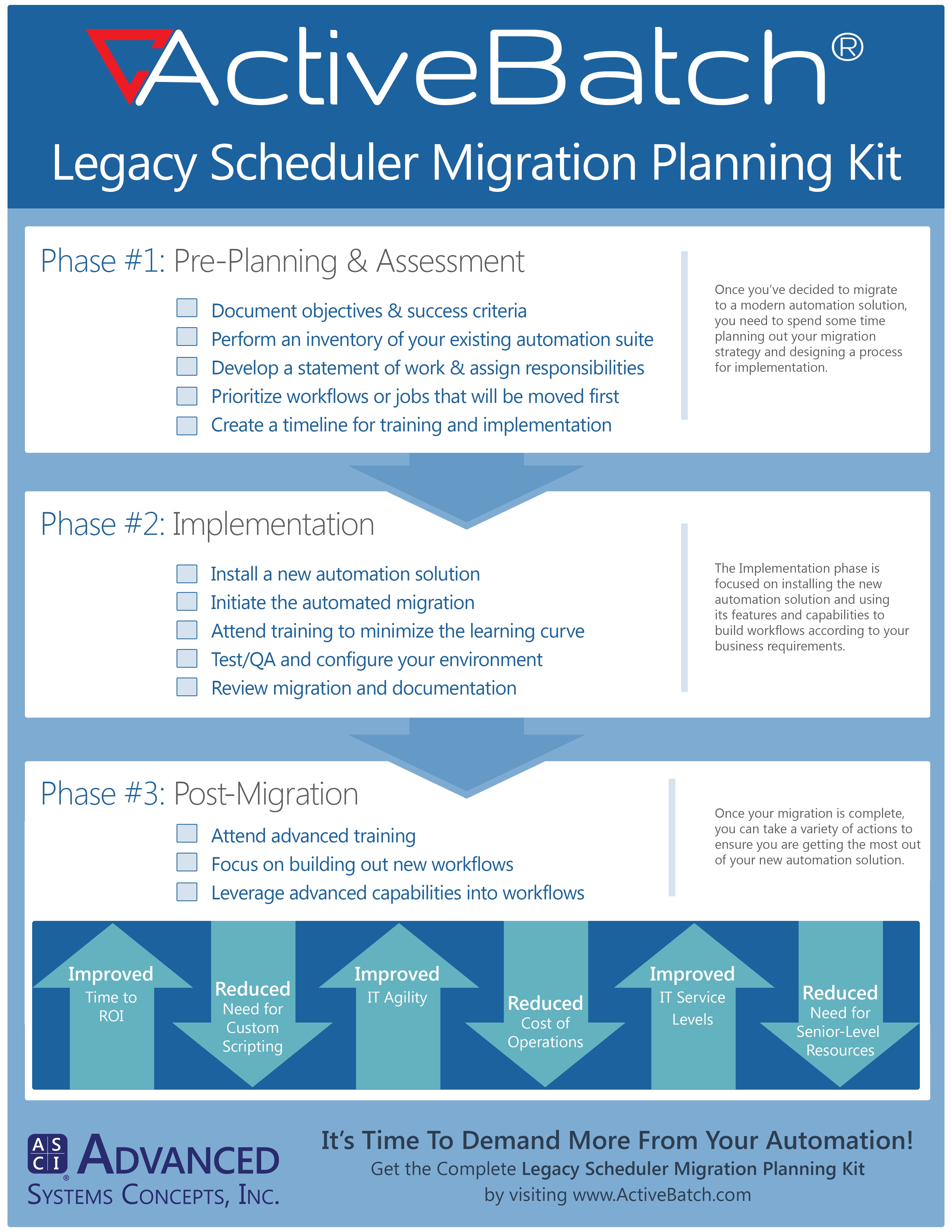
Phase 1: Pre-Planning & Assessment
Before you go full force into your new automation solution, it’s best to fully lay out your migration plan and decide on the objectives and criteria for success. Once you’ve established these goals, it’s time to evaluate and assess your existing automation suite and work with the solution provider to develop a statement of work for the migration. Next, prioritize workflows that will be moved first and create a timeline for implementation.
Phase 2: Implementation
At this point, you should install the new automation solution and initiate the automated migration. While the automated migration is taking place, it’s a good idea to attend training in order to minimize the learning curve. Once your migrated workflows are in the new solution and you’ve begun to configure your new environment, it’s time to test/QA the migrated workflows and review any documentation provided.
Phase 3: Post-Migration
When you’re fully migrated over and start to feel more comfortable with your new automation solution, focus on building out new workflows and leveraging the advanced capabilities of the automation solution in your workflows. Post-Migration is also a good time to take advantage of advanced training courses so you can learn more about your new automation solution’s features and get the most optimal use out of your software.